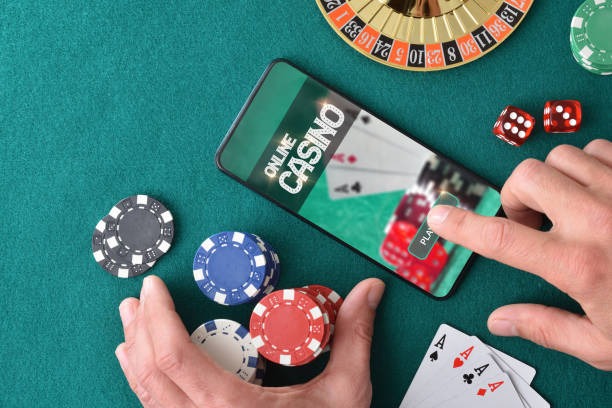
Getting rpwin1 on Your Device
rpwin1 offers three installation routes: Android APK direct download, iOS browser-based access, and a responsive web app for any device with a modern browser. Each path has trade-offs in terms of speed, notifications, and offline capability. Choose based on your device type and whether you prefer app-store independence or built-in OS integration.
Installation Steps
-
Download the rpwin1 app file
Visit the link above and save the APK (Android) or bookmark the web app URL (iOS / web).
-
Install or add to home screen
Android: enable Unknown Sources in Settings, then tap the APK. iOS: tap Share → Add to Home Screen. Web: bookmark or install as PWA.
-
Register or log in to rpwin1
Create a new account or enter your existing rpwin1 credentials. KYC verification happens in-app.
-
Start playing or betting
Browse live tables, slots, or sportsbook. Deposit via DANA, e-wallet, mobile banking, or other supported methods.

App vs. Browser: What's the Difference?
The rpwin1 app (Android APK) offers push notifications for live events, offline caching of game rules and account data, and slightly faster table loads due to native rendering. The browser version works on any device without installation and updates automatically—no manual APK re-download needed. Both connect to the same account, same wallet, and same customer-support channels. Choose the app if you want notifications and offline reference; choose the browser if you prefer simplicity or use multiple devices.
Device Compatibility
Our rpwin1 app runs on Android 7.0 and later (released 2016 onwards). iOS users access rpwin1 via Safari or Chrome browser, with iOS 12+ recommended for smooth performance. The web app works on any device with a modern browser—Chrome, Firefox, Safari, or Edge from the last three years. Older devices may experience slower table loads or reduced video quality, but core functionality remains available.
Troubleshooting Installation Issues
If Android installation fails, check that Unknown Sources is enabled in Settings → Security. Some devices require you to trust the certificate; tap Install Anyway if prompted. If the APK won't open after download, try clearing your browser cache and re-downloading. For iOS, if Add to Home Screen doesn't appear, ensure you're using Safari and that JavaScript is enabled. If the web app feels slow, try clearing browser cache or switching to a different browser. Contact our support team via the in-app Help menu if issues persist—response times are typically under two hours during business hours in Jakarta and Surabaya.
Data, Permissions, and Account Security
The rpwin1 app requests permissions for camera (for KYC photo verification), microphone (for live-dealer chat), and storage (for offline cache). We do not share these with third parties. Your account credentials are encrypted in transit and at rest. Two-factor authentication is available in Account Settings. Withdrawals require identity verification and are processed within the standard window for your account tier—typically 1–3 business days depending on your payment method (local payment, online payment, e-wallet, or bank transfer). If you suspect unauthorised access, change your password immediately and contact support.